Using the Schedule
The Schedule is your day-view dispatch board. It shows every work order for the selected date, organized by technician, with their job locations mapped alongside.
The day view
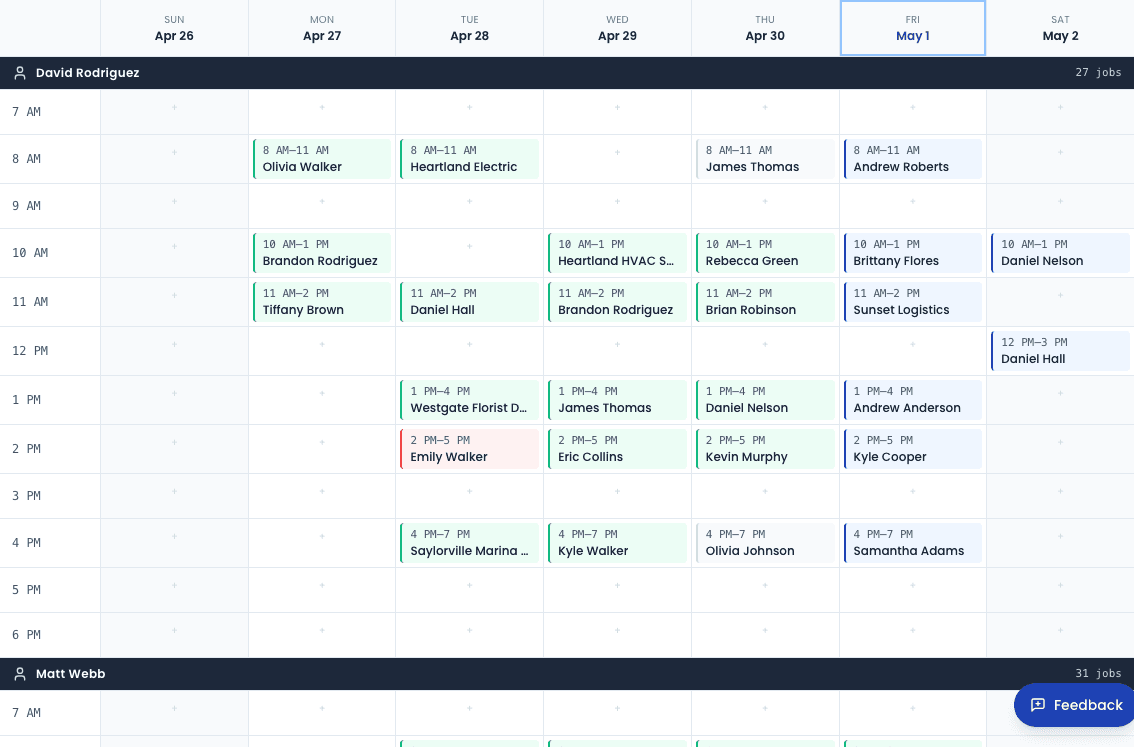
The grid has one column per technician. Each column shows that technician's jobs for the day in chronological order. Job cards display:
- Service type (e.g., Synthetic Oil Change)
- Customer name
- Scheduled time window
- Status — color-coded: grey (scheduled), blue (en route/on site), green (completed)
Click any job card to open the work order detail page.
Navigating between days
Use the ← / → arrows at the top of the schedule to move forward and backward one day at a time, or click the date to open a calendar picker.
Adding a work order from the schedule
Click New work order in the top-right corner of the schedule page. This opens the new work order modal pre-filled with the current date. See Creating a Work Order for full instructions.
The map panel
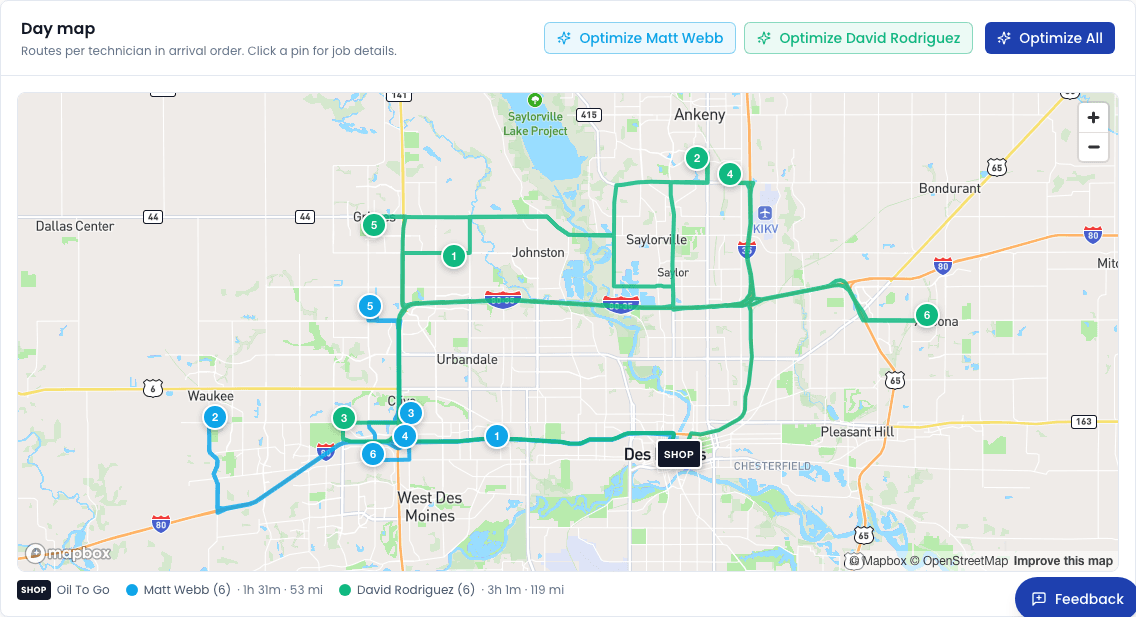
Toggle the Map button to open the route map alongside the schedule grid. The map shows pins for each job location, color-coded by technician. Use this to quickly spot geographic clustering or to sanity-check the day's routing.
Route optimization
Click Optimize routes to automatically reorder a technician's jobs for the day into the most efficient driving sequence. The optimizer uses the technician's first job as the starting point and reorders the remaining jobs to minimize total drive time.
Route optimization reorders jobs, not times. The scheduled time windows on each work order are not updated — only the order in which they appear on the map. Notify your technician if the order changes significantly.
Technician colors
Each technician can be assigned a color in Settings → Team. Their color appears on job cards and map pins so you can instantly see who is doing what. See Team Settings to configure colors.
Default view
You can set the schedule to default to a specific technician's view or to the full team view in Settings → Schedule. This is useful for operators who primarily dispatch a single technician.