Reporting
Mobile Service Sync surfaces operational data in two places: the Dashboard for a real-time snapshot of today's activity, and the Pack Sheet for a printable daily inventory pull list.
Dashboard
The Dashboard is the first page you see after signing in. It gives you an at-a-glance view of what's happening today and how the business is tracking.
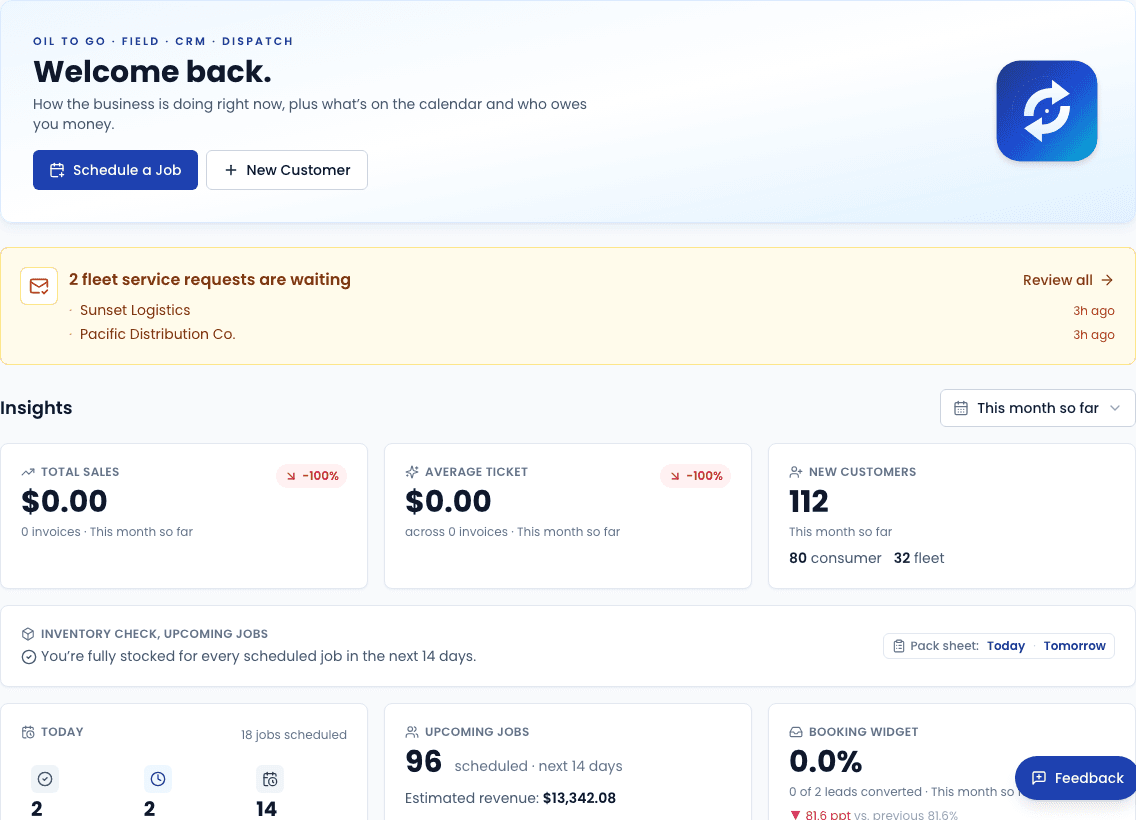
Summary cards
| Card | What it shows |
|---|---|
| Jobs today | Count of work orders scheduled for today across all technicians |
| Revenue today | Sum of completed and invoiced work orders for today |
| Jobs this week | Count of work orders for the current calendar week |
| Revenue this week | Invoiced revenue for the current calendar week |
Cards link through to the filtered work order or schedule view so you can drill in immediately.
Quick actions
The hero section of the dashboard provides one-click access to the most common tasks: scheduling a new job, adding a customer, and viewing today's schedule.
Pack Sheet (daily inventory report)
The Pack Sheet is a printable report that tells you exactly what inventory to pull for the day's jobs before you leave the shop.
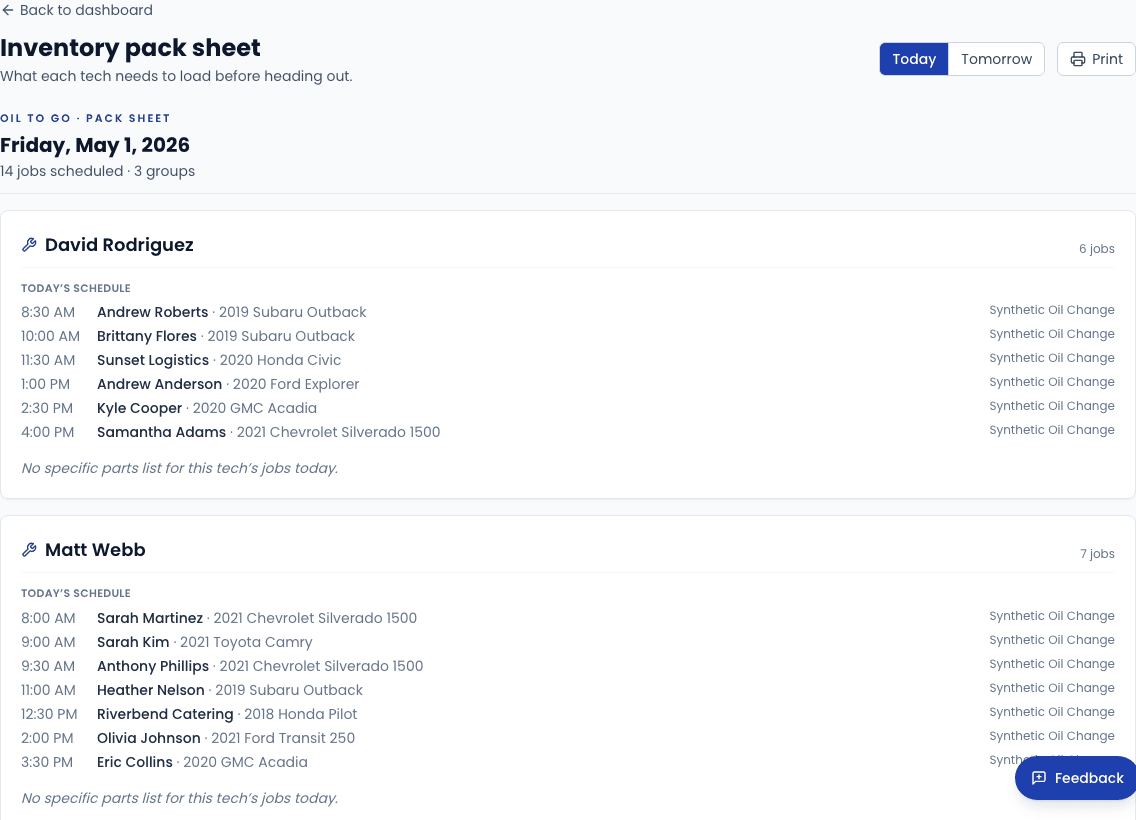
Navigate to Reports → Pack Sheet in the sidebar (or click Inventory Report). The report shows:
- Each work order scheduled for today, sorted by start time
- The service type and any add-ons (air filter, cabin filter, wipers, etc.)
- The specific inventory items needed based on the vehicle's oil spec and selected add-ons
- Quantities to pull per item
Printing
Click Print in the top-right corner. The page header, navigation, and controls are hidden in the print layout so the output is clean — just the job list and item quantities.
The Pack Sheet only includes jobs with status scheduled, en_route, on_site, or in_progress. Completed and canceled jobs are excluded.
Work order history
For a full history of past work orders, go to Work Orders in the sidebar. You can filter by status, date range, technician, and customer. Each row links to the full work order detail including the invoice and payment record.
Coming soon
More reporting features are on the roadmap, including:
- Revenue by technician — compare output and average ticket across your team
- Service type breakdown — see which services drive the most volume and revenue
- Fleet A/R aging — outstanding invoice balances sorted by days overdue
- Inventory cost of goods — margin analysis by item and category
If there's a specific report you need urgently, use the thumbs-down button on this page to send feedback to the team.