Quote Settings
Settings -> Quotes is a small page with two organization-level knobs that govern how quotes behave.
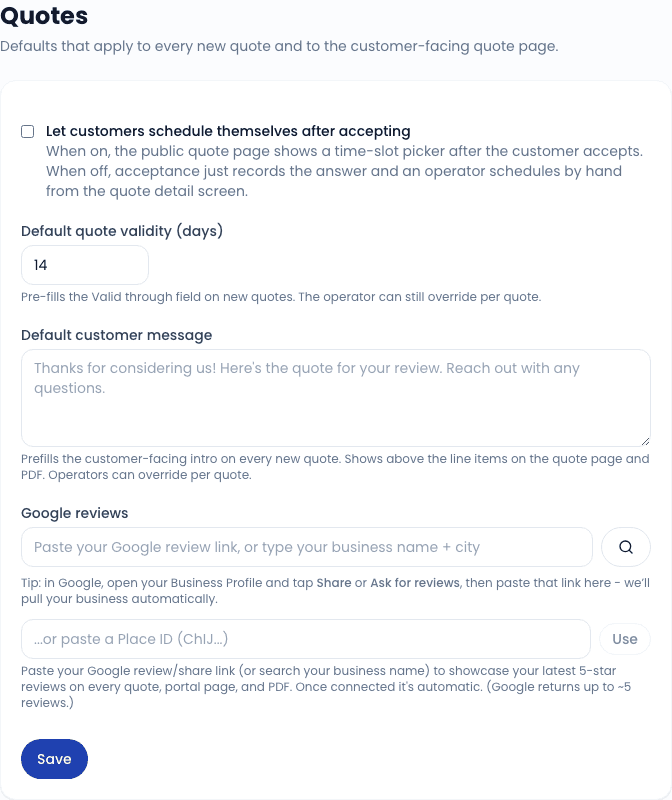
Customer can self-schedule from quote
A toggle. When on, the public quote page shows a time-slot picker after the customer hits Accept so they can pick their own window. The accepted quote pre-fills a new work order with the picked slot; you just confirm and save.
When off (the default), the public quote shows only Accept / Request changes / Decline buttons. After accept, you contact the customer to confirm a window the old-fashioned way.
Most operators leave this off and confirm scheduling by hand. Turn it on if you have predictable availability and the customer base appreciates self-service.
Default validity (days)
Sets the Valid until default on new quotes. The new-quote form prefills today + this many days. Operators can override per-quote when building.
Default: 14 days. Common adjustments:
- 30 days - fleet accounts that take longer to approve internally.
- 7 days - jobs where parts pricing is volatile and a longer window risks losing money.
- Custom - one-off arrangements (PO terms, contracted pricing).
Range: 1 to 365 days. The validity date is when the quote auto-flips to Expired; to revive, push the validity date out and re-send.